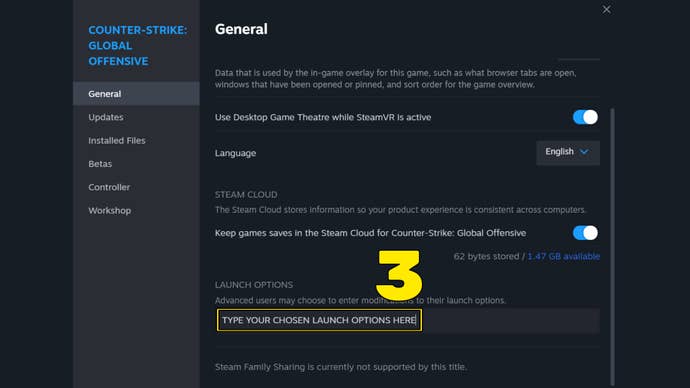
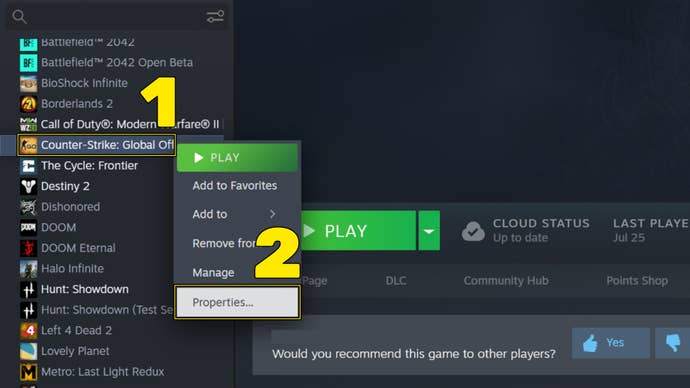
If you’re new to launch options, don’t worry.
Remember to separate every launch option with a space!
+fps_max 0
This launch option sets the maximum available FPS for the game.
-tickrate 128
This launch option sets the tickrate of any offline server that the user runs.
-novid
This launch option speeds up CS:GO’s launch by skipping the Valve intro video.
-nojoy
This launch option disables the processes that control joystick support.

Disabling this setting can significantly improve performance and FPS on some machines.
Doing this will lower the quality of these particle effects, but will increase your FPS.
+mat_queue_mode 2
This launch option determines the threading mode for CS:GO.
-forcenovsync
This launch option disables the VSync (or Vertical Sync) option in CS:GO.
That wraps up our primer on how to use launch options to boost performance in CS:GO.